Phone stolen? Your banks stay behind.
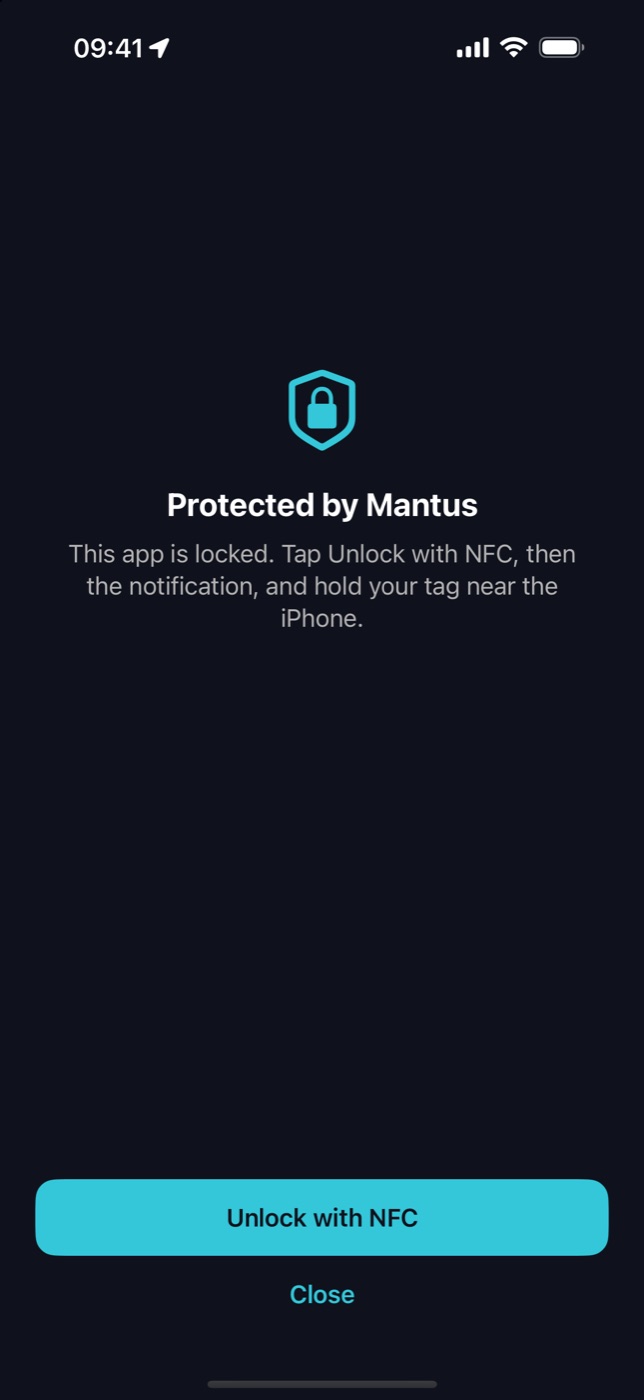
Mantus locks or hides your banking apps and only opens them when you tap your NFC key on the iPhone. Without the key, whoever takes the phone gets nothing.
iOS 18 or later · 7-day free Pro trial · no subscription
Whoever takes your phone is after your bank, not the device.
With an unlocked phone in their hands, you have only minutes before you can block your SIM and call your bank.
Mantus closes that window. The apps you choose stay locked or invisible all the time and only open with something that lives in your pocket, not on the phone: an NFC key.
A leaked passcode, a forced Face ID, a phone grabbed while unlocked: none of it opens those apps. And nobody can delete Mantus to get rid of it.
Set it up once. Then just tap.
Choose your apps
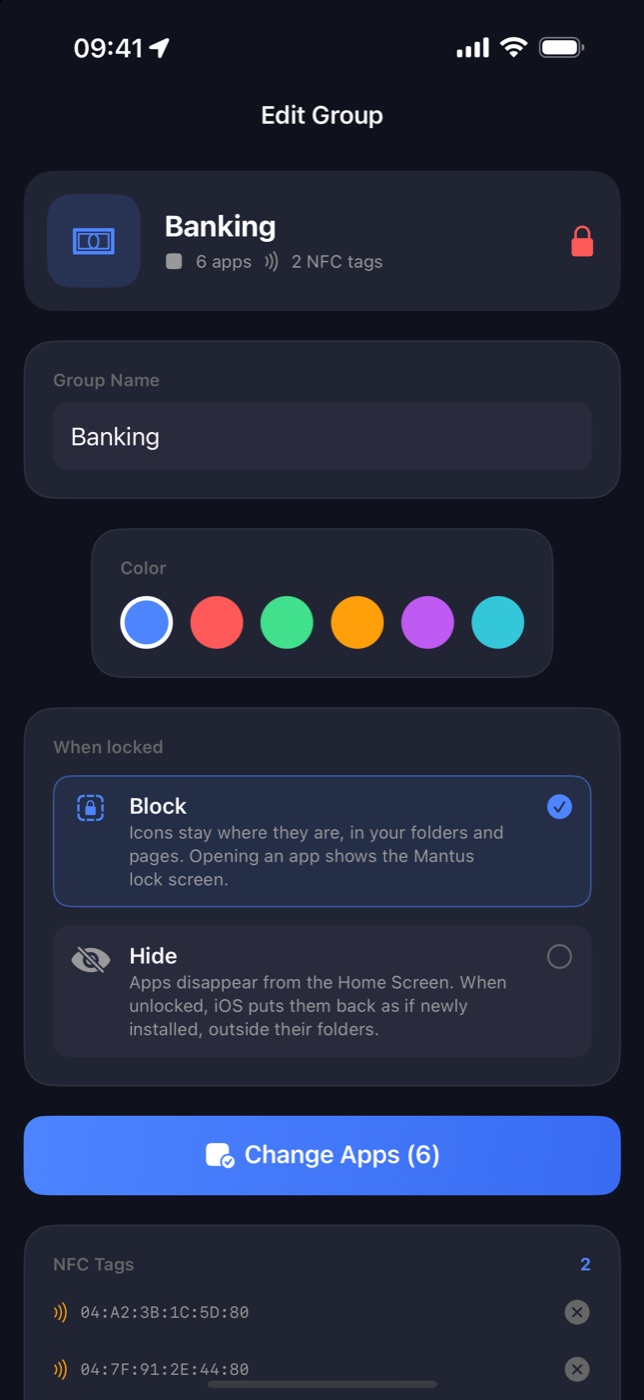
Create groups like “Banking” or “Social” and decide whether each one is blocked or hidden from your Home Screen.
Register your key
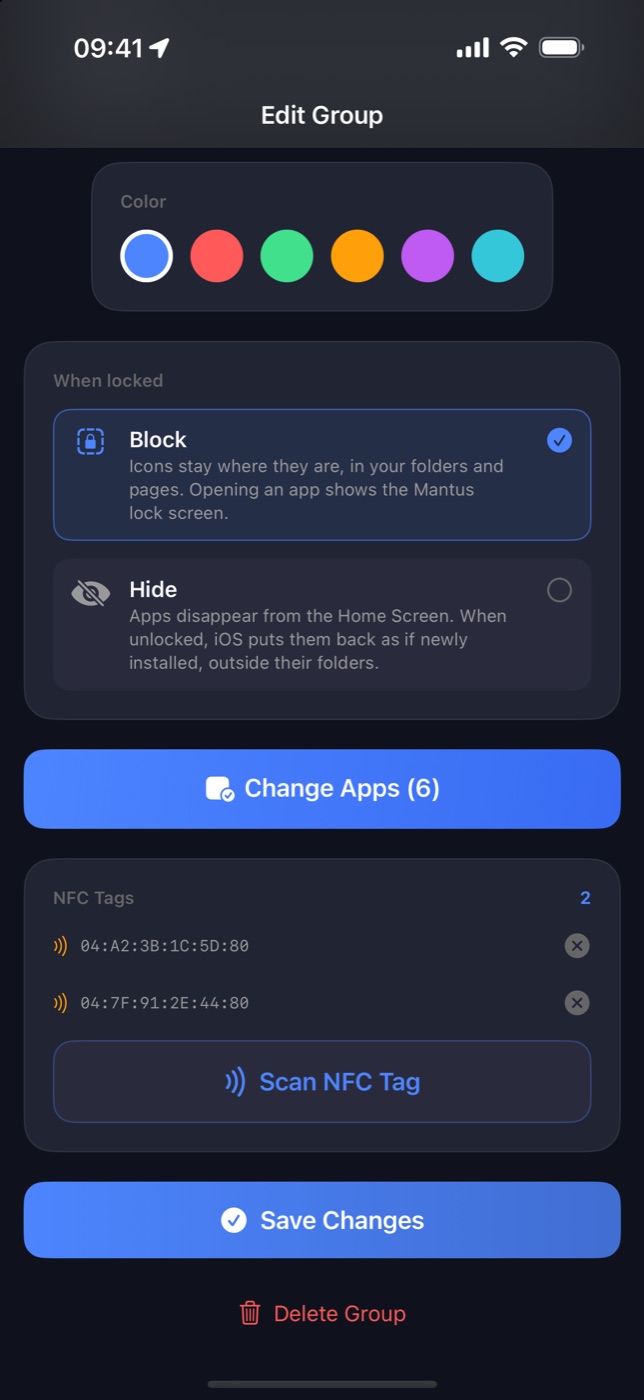
Hold an NFC tag to your iPhone to register it. A keychain fob, a sticker or a card all work.
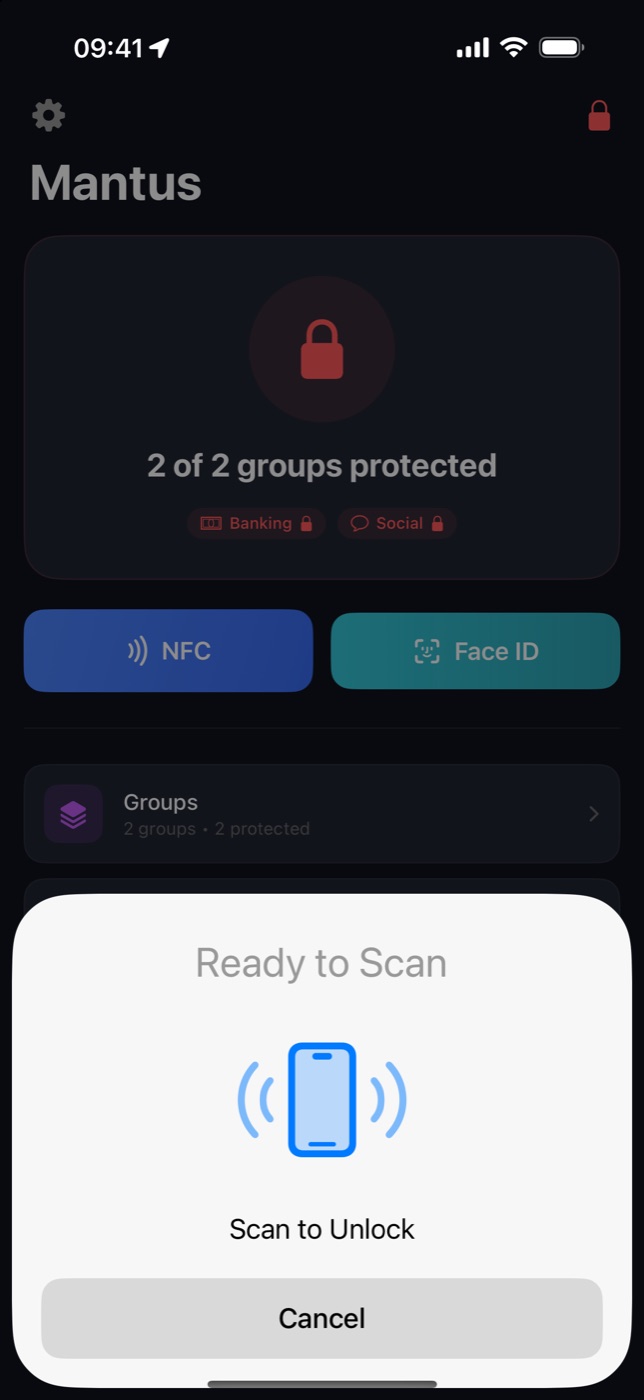
Tap to unlock
When you need your bank, tap the key. After the time you choose, everything locks again on its own.
Built for your worst day, without getting in the way of the others.
Block or hide
Blocked, the icon stays where it is and opens the Mantus screen. Hidden, the app disappears from your Home Screen.
Safe zones
At home or at work your apps stay unlocked. Leave the zone and Mantus locks everything for you.
Relocks by itself
Unlocked with your key? A few minutes later everything is protected again, even with Mantus closed.
Nobody can delete Mantus
While anything is protected, your iPhone won't let anyone delete apps. Not even Mantus.
You're never locked out
Lost your key? Use your master password. Forgot the password? Your recovery code or the 24-hour emergency reset has you covered.
Home Screen widget
See at a glance whether everything is locked, and lock it with one tap.
Nothing leaves your iPhone.
Mantus has no server, no account and no tracking. It uses Apple's Screen Time, which doesn't even tell Mantus which apps you picked.
This table is about the app. This website uses Google Analytics, only if you accept. Learn more.
Mantus Kit
NFC keychains ready to use with Mantus. One to carry with you and a spare to keep at home.
- Works with any iPhone that runs iOS 18
- No battery, no charging
- Until the kit arrives, any NTAG213, NTAG215 or NTAG216 NFC tag works
Start free. Pay once if you want more.
Free
$0
- 1 app group
- Unlock with your master password
- 1 safe zone
- Relocks after 15 minutes
Mantus Pro
One-time purchaseno subscription
- NFC key to unlock with a tap
- Unlimited groups
- Unlimited safe zones
- You choose how long apps stay unlocked
- 7 days free to try
Master password, recovery code, emergency reset and app-deletion protection are free forever. No ads, on any plan.
Frequently asked questions
What if I lose my key?
Unlock with your master password, which you create during setup. If you forget the password, your recovery code removes it right away. Without either, the emergency reset removes the password after 24 hours and you create a new one. More answers in Support.
Which NFC tag do I need?
Any common NFC tag works, such as NTAG213, NTAG215 or NTAG216, as a keychain, sticker or card. Mantus reads the tag's unique ID, so nothing needs to be written to it.
Can Mantus see my data or which apps I use?
No. You pick apps through Apple's Screen Time, which only gives Mantus a protected reference. Nothing is sent to any server, because Mantus has none.
What's the difference between blocking and hiding?
Blocked, the icon stays in place and opening it shows the Mantus screen. Hidden, the app disappears from your Home Screen. When a hidden app is unlocked, iOS puts it back at the end of your Home Screen, as if it were newly installed.
Is it a subscription?
No. The free plan already protects one group of apps. Mantus Pro is a one-time purchase with a 7-day free trial.
Which iPhones are supported?
Every iPhone running iOS 18 or later. All of them can read NFC.
Protect your banks today.
Mantus is coming soon to the App Store.
Coming soon to the App Store